> ## Documentation Index
> Fetch the complete documentation index at: https://docs.oryxai.io/llms.txt
> Use this file to discover all available pages before exploring further.
# Configure AI Models
> Oryx works best with your own API keys!
To unlock Oryx's full potential, you need to configure an AI provider. You have two options:
1. **Use models locally** - Run AI on your machine for complete privacy
2. **Bring your own API keys** - Use cloud providers like ChatGPT, Gemini, or Claude
Visit `chrome://settings/oryx` to configure your AI provider.
**Our recommendation:** Oryx works best with **Gemini 2.5 Flash**. We highly
recommend getting an API key from Google AI Studio for Gemini 2.5 Flash.
**Google AI Studio gives free access to Gemini 2.5 Flash models for up to 20
requests per minute** - perfect for getting started without any costs.
## Why bring your own API keys or use local models?
Your API keys are stored locally and encrypted. Requests go directly from
your browser to the provider - Oryx servers never see your data or keys.
With local models, your data never even leaves your machine.
Oryx has rate limits on the default shared models. For the smoothest
experience without interruptions, bring your own API keys or run models
locally. Command Oryx as much as you want without hitting limits.
\$Oryx token holders get access to premium automation tiers, advanced MCP
servers, and priority processing. Own the token, own the experience.
## Option 1: Bring your own keys to ChatGPT, Gemini, Claude! (Recommended)
Connect to powerful cloud models using your own API keys. Oryx works exceptionally well with Gemini 2.5 Flash for trading commands, contract analysis, and agentic workflows.
### Available Cloud Providers
Use Gemini-2.5-flash! Recommended.
Use Claude sonnet-3.7 or sonnet-4.0!
Use GPT-4.1 for best results!
Access multiple AI models through one API!
## Option 2: Using local AI LLM models
Running models locally gives you complete control and privacy. Your data stays on your machine, and there are no usage costs or API limits.
NOTE: Local LLMs are great for "Chat Mode" tasks. For "Agent Mode" and "Teach
Mode", our recommendation is to use bigger cloud based LLMs like ChatGPT,
Gemini or Claude.
### Available Local Options
Popular tool for running open-source models locally with easy model
management
User-friendly GUI for downloading and managing local language models
OpenAI's open-source GPT model optimized for local execution
### Recommended Models
For best results with local models:
* **gpt-oss:20B** - Great balance of speed and capability
* **qwen3:8B** or **qwen3:14B** - Fast and good for chat-mode, but struggles with agentic tasks
Many models like Deepseek-R1 via Ollama don't support tool calls and you'll
get `400` errors when trying to use them with Oryx. Stick with the recommended
models above for the best experience.
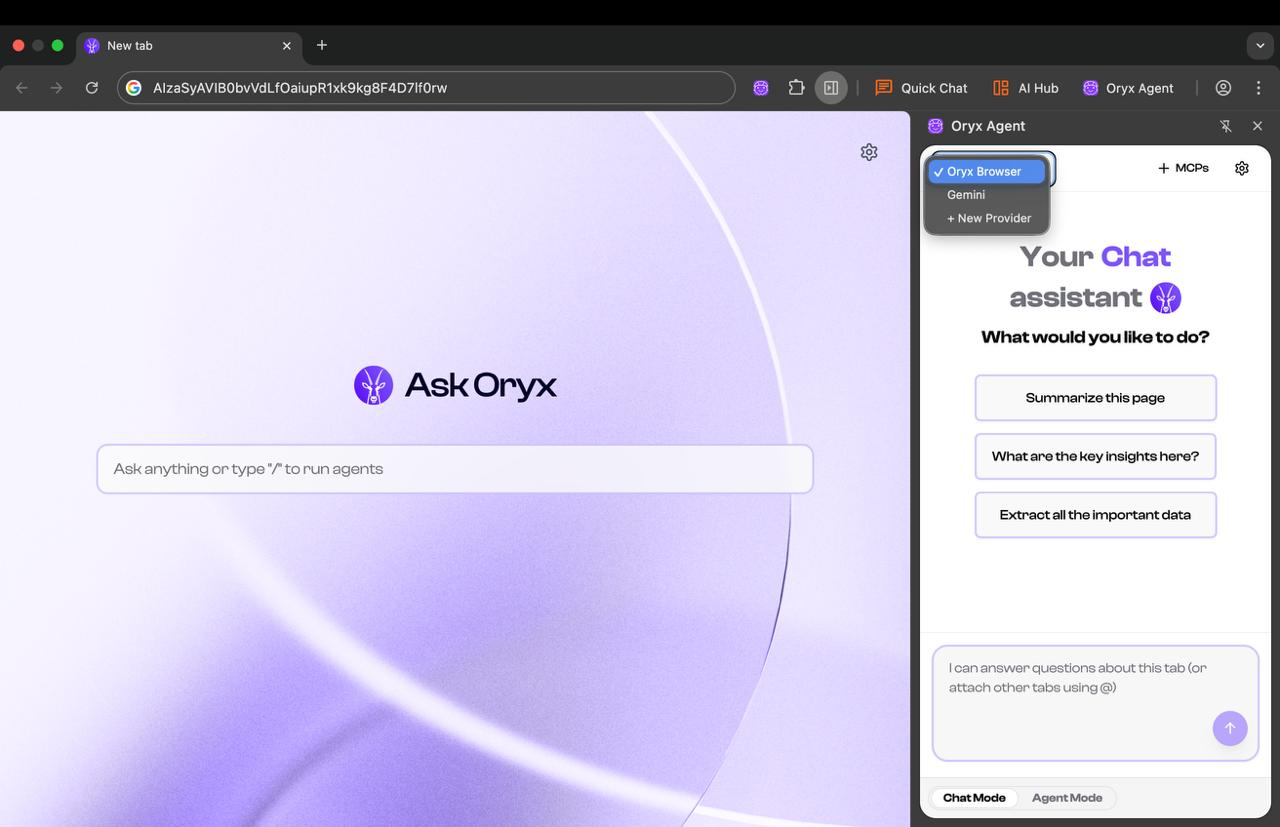
## Switching Between Models
Use the switcher to change between different LLM providers.
* Use local models for sensitive work data
* Switch to cloud models for agentic tasks.
 Unlock premium automation tiers, advanced features, and governance rights
## Next Steps
Once you've configured your AI provider, start commanding Oryx:
* Use **natural language commands** for trading, research, and automation
* Try **split-view AI** to analyze contracts and whitepapers side-by-side
* Build **custom agents** to automate repetitive DeFi tasks
* Connect **MCP servers** to integrate your work tools
Unlock premium automation tiers, advanced features, and governance rights
## Next Steps
Once you've configured your AI provider, start commanding Oryx:
* Use **natural language commands** for trading, research, and automation
* Try **split-view AI** to analyze contracts and whitepapers side-by-side
* Build **custom agents** to automate repetitive DeFi tasks
* Connect **MCP servers** to integrate your work tools