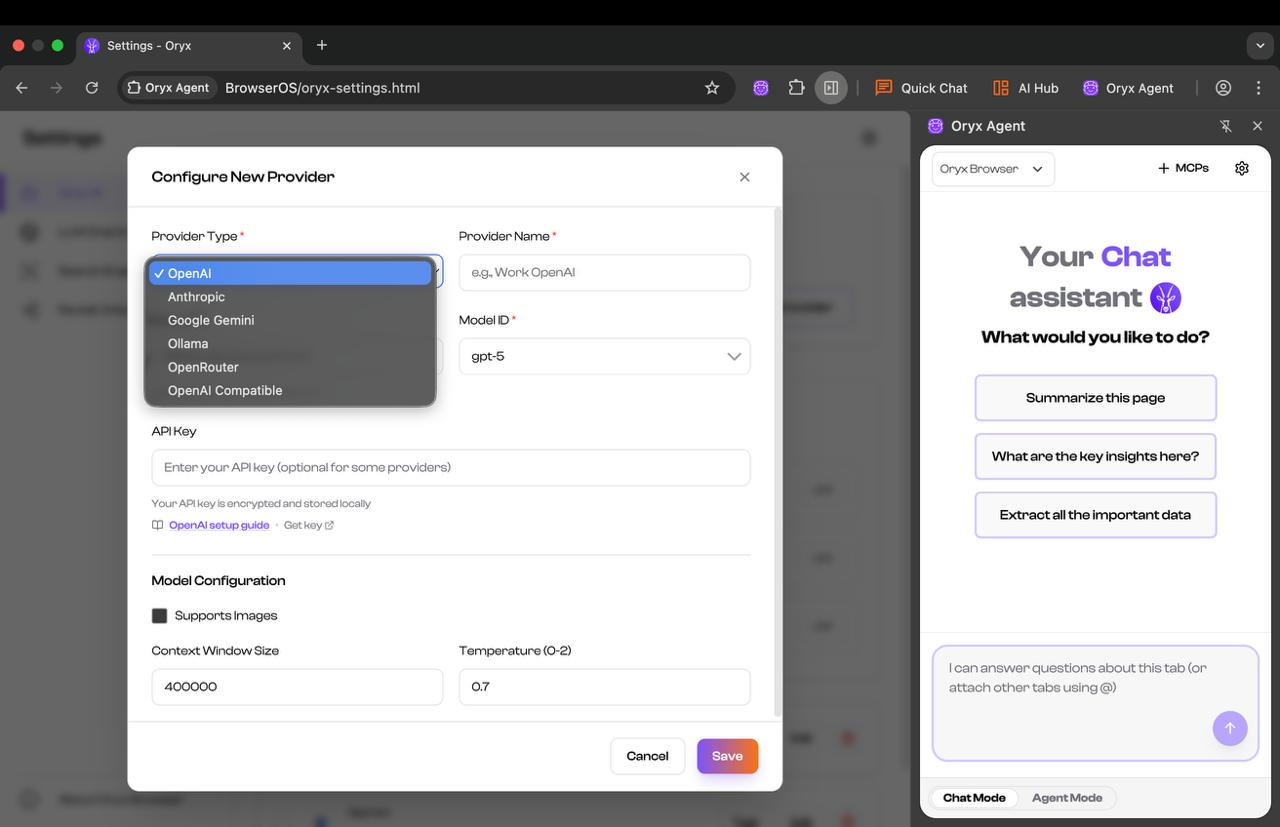
Get your API key
Step 1: Go to Google AI Studio
Visit aistudio.google.com and click Get API key in the left sidebar.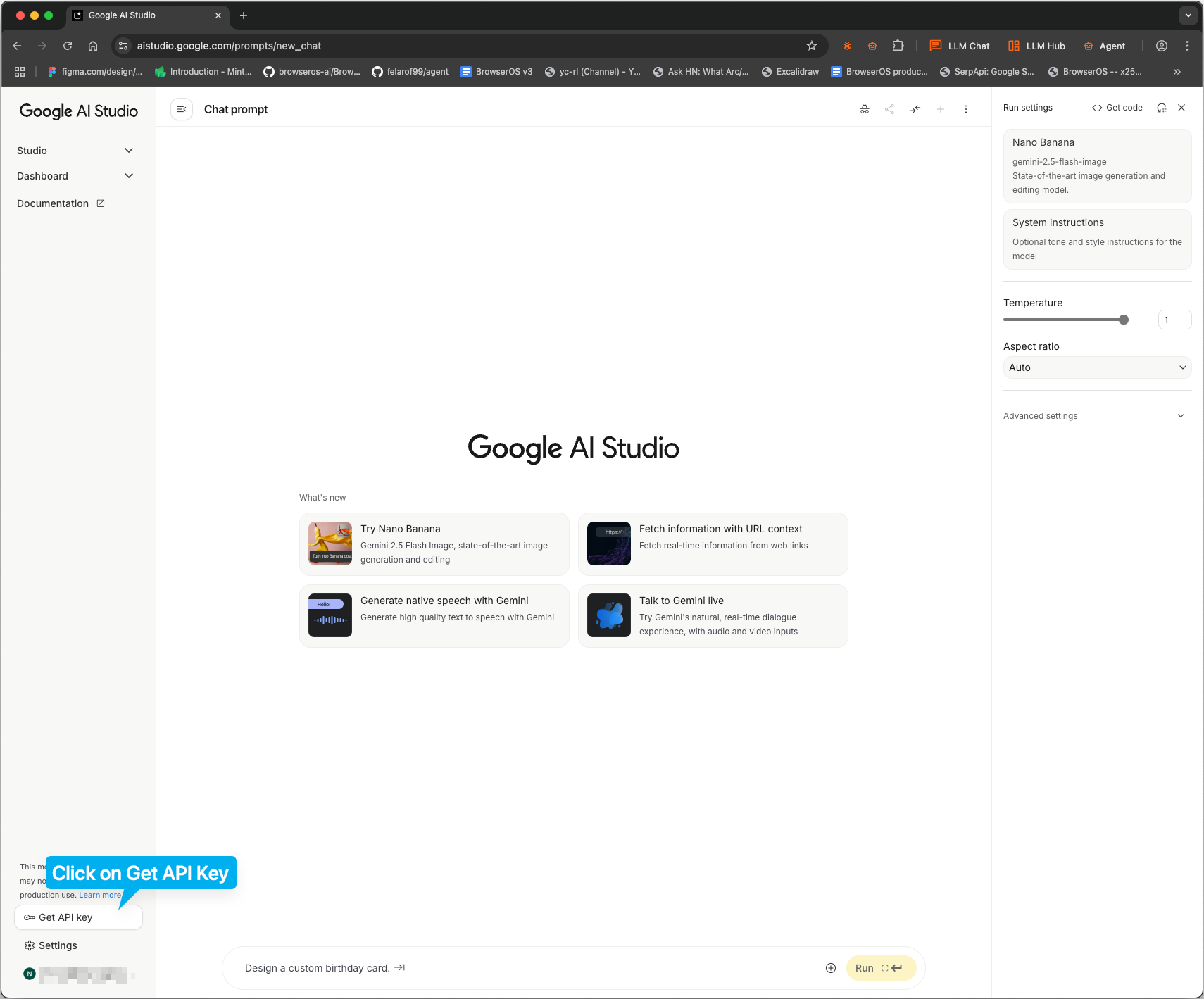
Step 2: Create a new project
Click Create API key, then name your project and click Create key.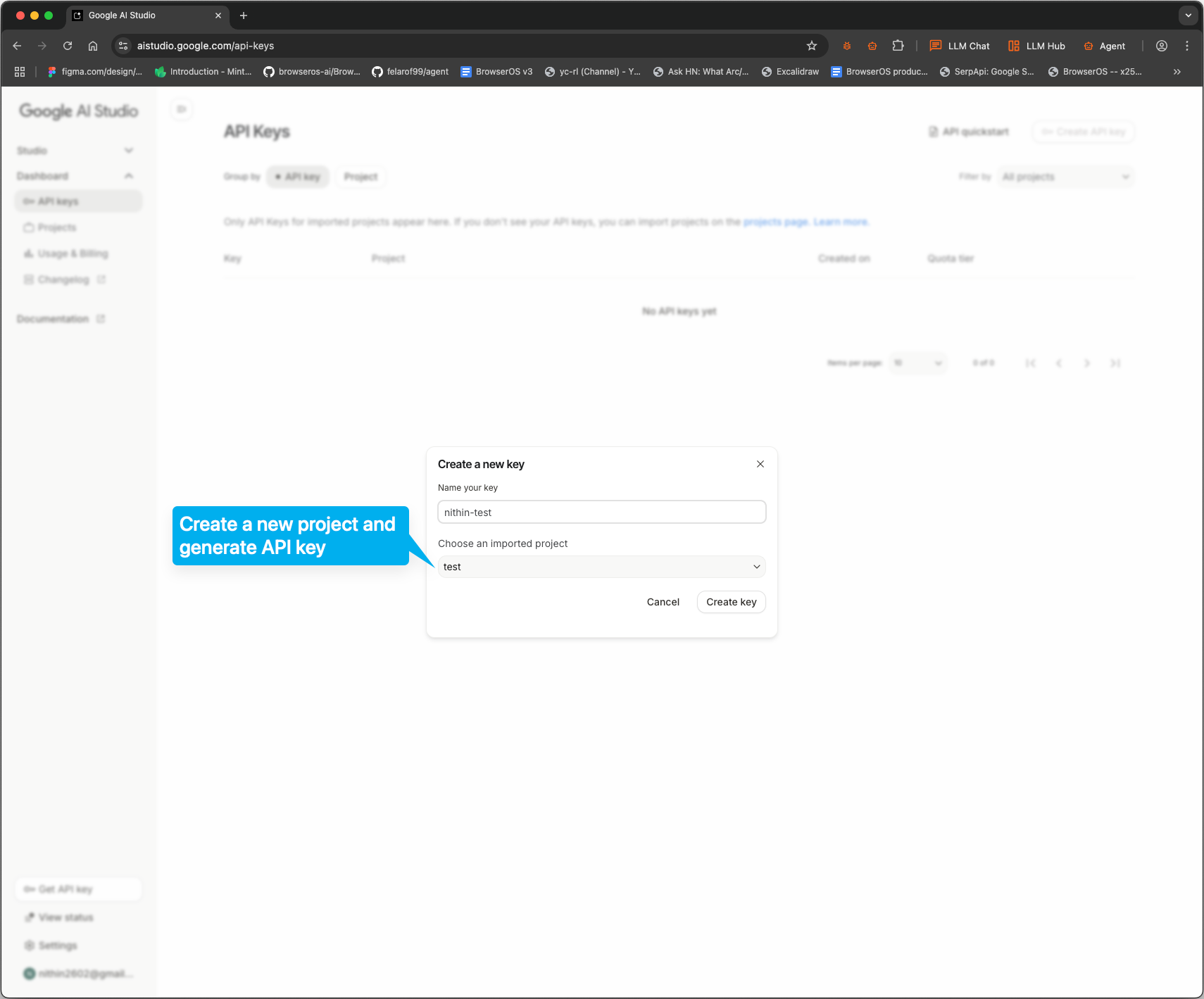
Step 3: Copy your API key
Your key will appear in the list. Click on it to copy.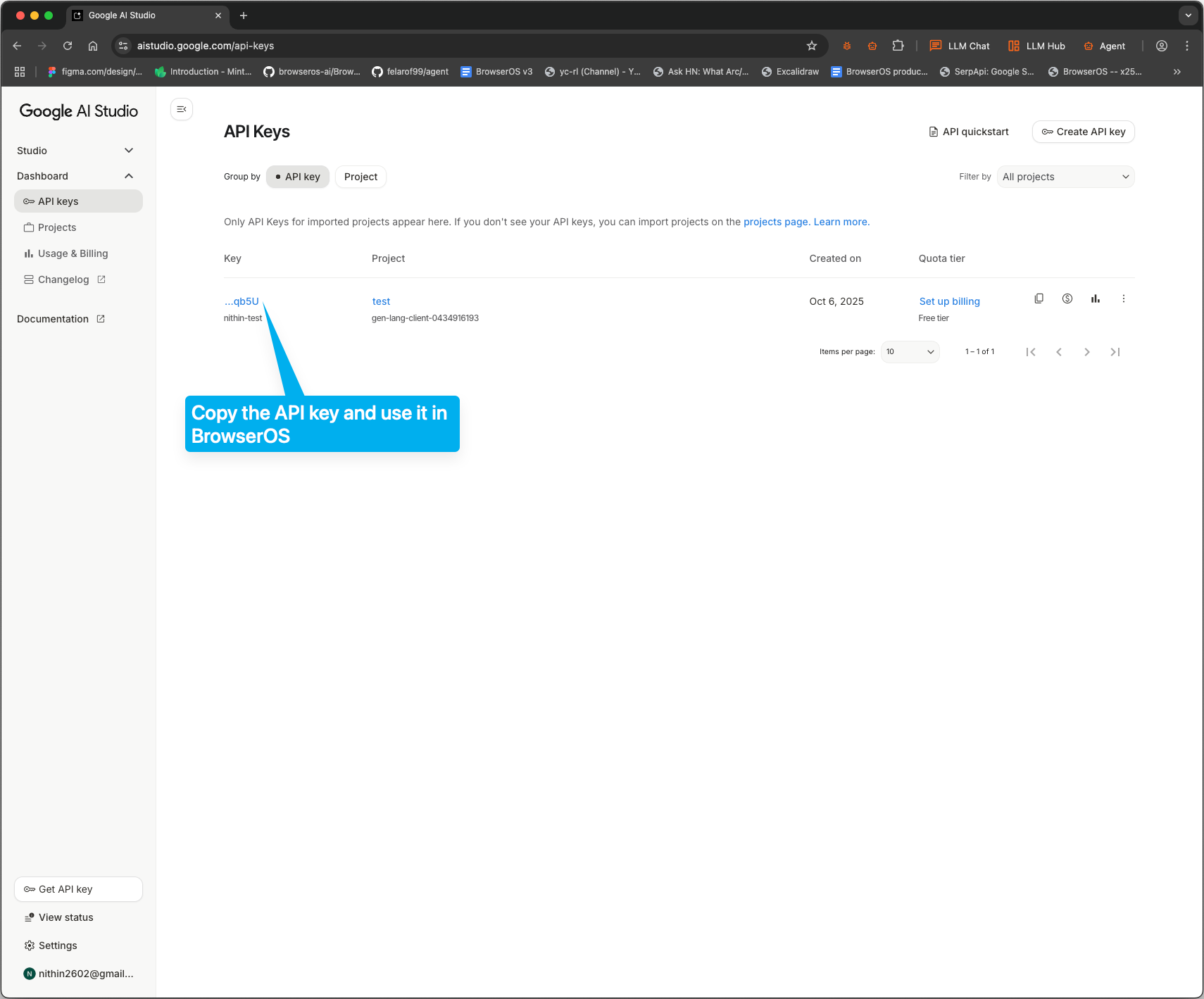
Configure Oryx
Step 1: Open LLM settings
Click the settings icon in Oryx, then click USE on the Gemini card.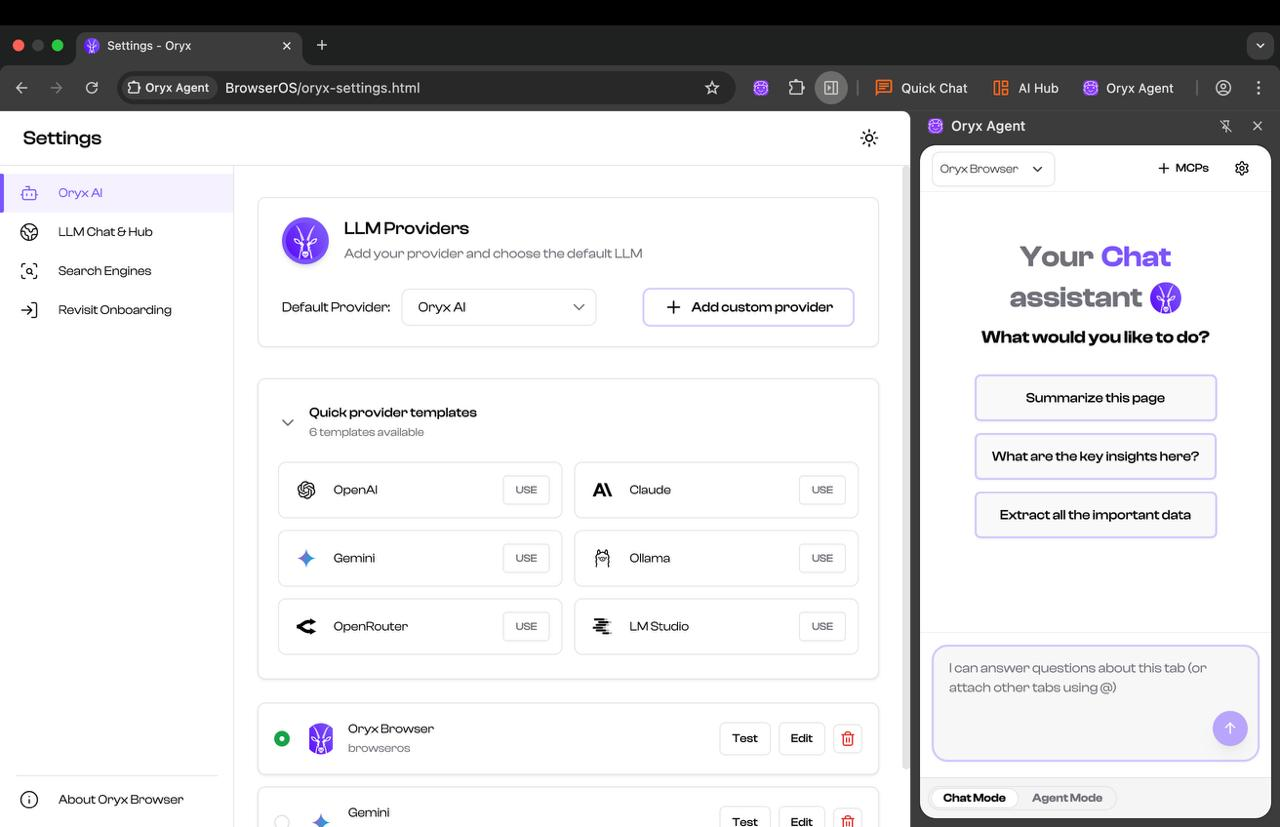
Step 2: Configure your provider
In the provider configuration:- Set Model ID to
gemini-2.5-flash - Paste your API key in the API Key field
- Check Supports Images
- Set Context Window Size to
1000000(1 million tokens) - Click Save