Get your API key
Step 1: Go to OpenAI Platform
Visit platform.openai.com, click the settings icon in the top right, then go to API keys in the left sidebar.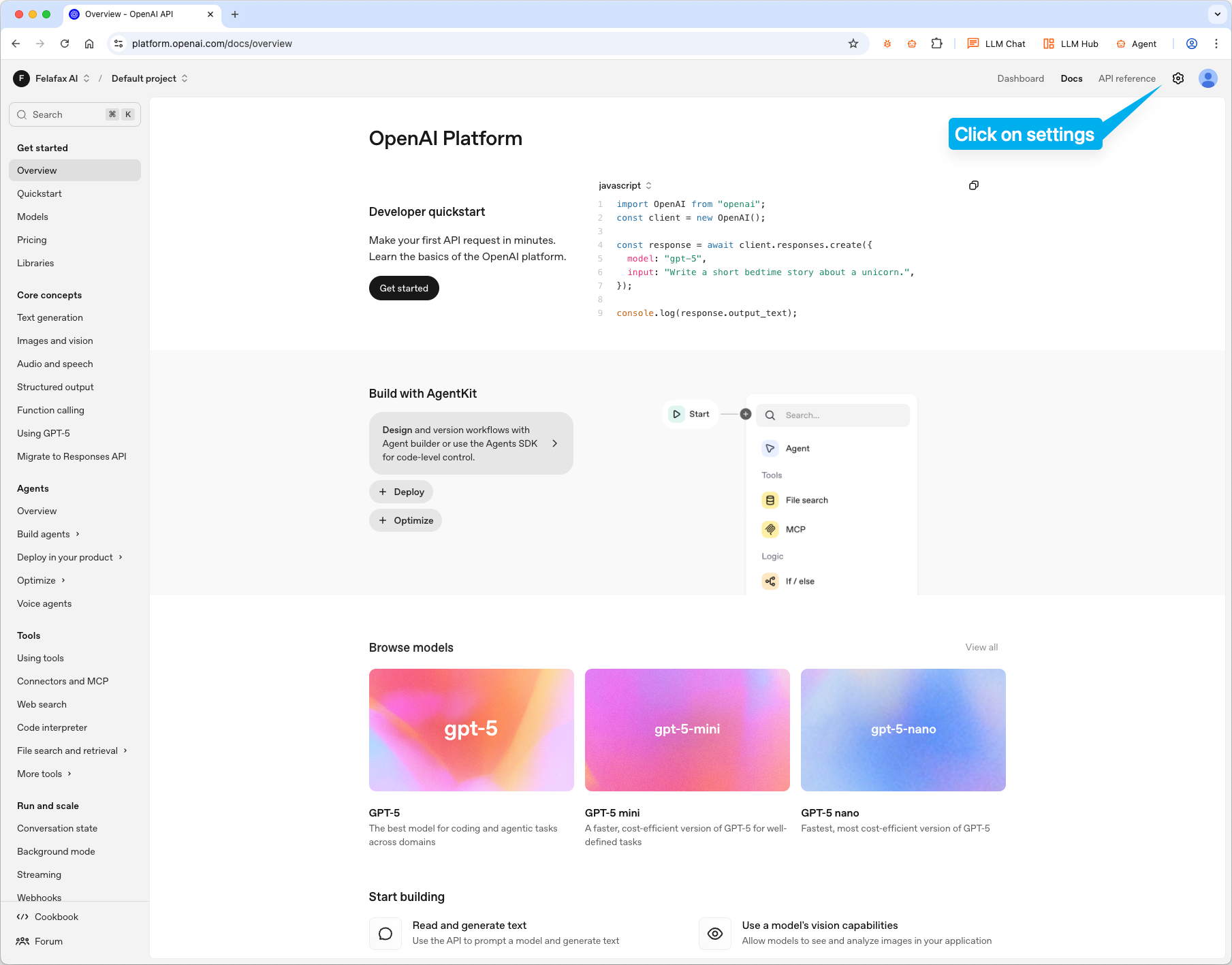
Step 2: Create a new key
Click Create new secret key, name it, and click Create secret key.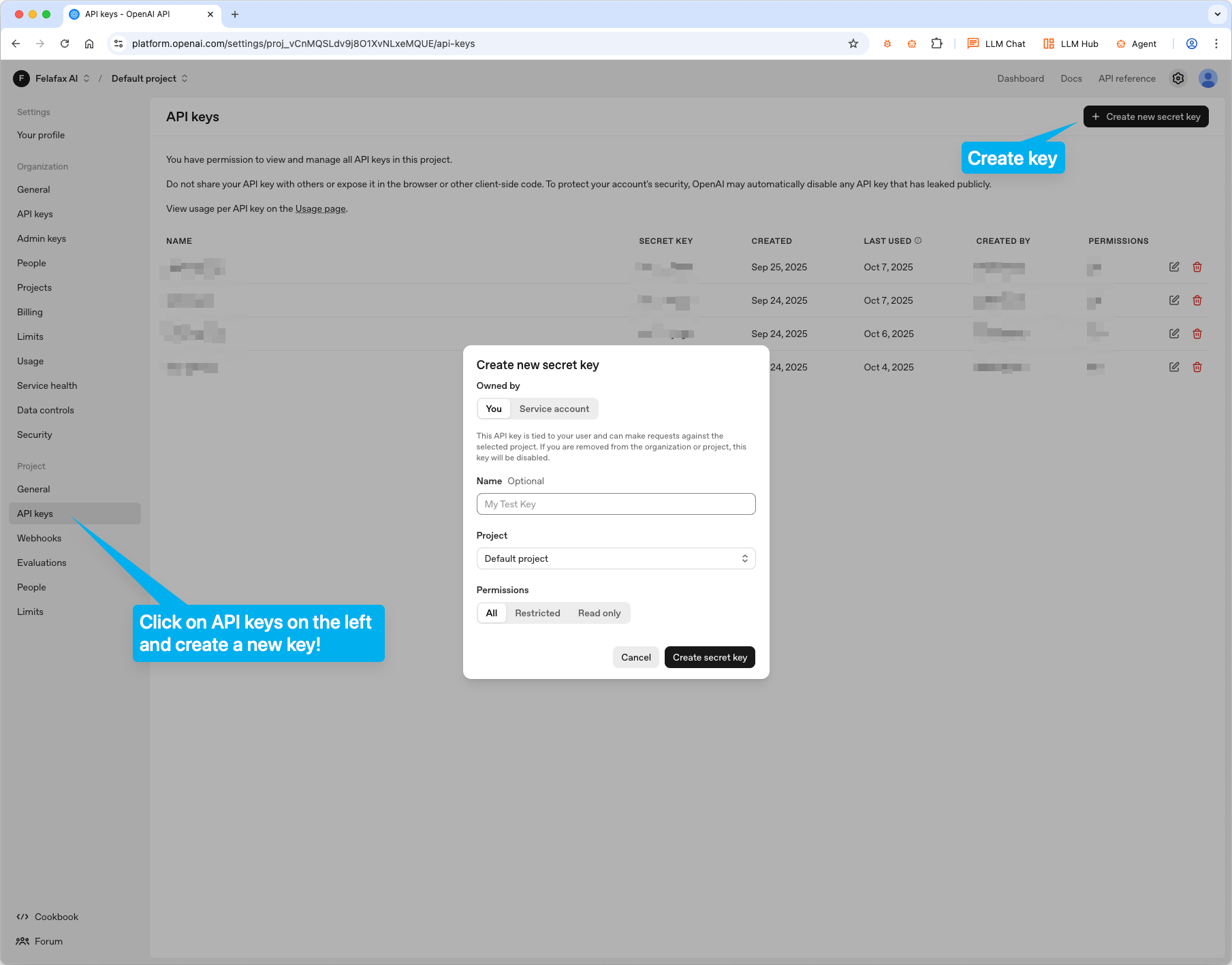
Step 3: Copy your key
Copy the key that appears. Keep it safe - you won’t be able to see it again.Configure Oryx
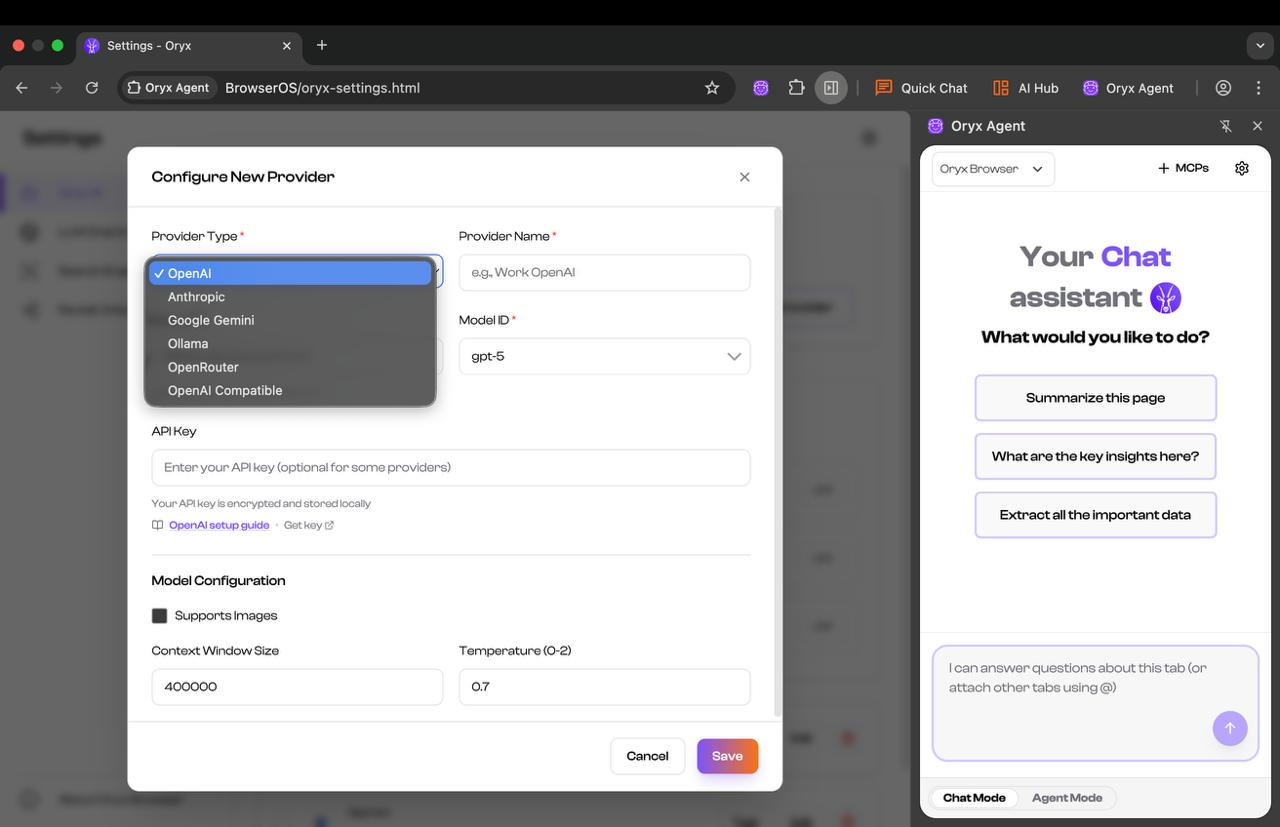
Click the settings icon in Oryx, then click USE on the OpenAI card. Paste your API key and configure the settings based on your chosen model. For GPT-4.1, set Context Window Size to128000 and check Supports Images. Click Save.